Clean up your messiest folder. Keep every original.
Folder Organizer makes a neatly sorted copy of your files, checks every copy against the original, and leaves the originals exactly as they were.
- Free, no account
- Nothing uploaded, runs in your browser
- No install
Get the free tool
Ready. Your download is unlocked.
Download Folder Organizer- Save the file anywhere, for example your Desktop.
- Open it in Google Chrome (right-click the file, Open with, Chrome).
- Click Choose files, or try it first with the demo files.
Thanks. The tool runs in Google Chrome on a computer. Send yourself the link and open it there.
One file, about 140 KB. Runs in Google Chrome on a computer.
- 1Originals stay putThe tool has no delete, move or rename action.
- 2Every file is checkedEach copy is compared with the original, byte for byte.
- 3Works offlineNo network access and no tracking inside the tool.
- 4You approve firstNothing is copied until you confirm the plan.
The problem
You know the file is in there somewhere.
- Downloads has become a dumping ground. Invoices, screenshots, photos and "final_v3" documents all sit in one long list.
- Sorting by hand feels risky. One wrong drag and a file lands somewhere you won't find it, or gets overwritten.
- Most cleanup tools move or delete your files. That's hard to trust with client documents or business records.
How it works
Four steps. No manual needed.
Pick your files
Choose files, drop them in, or choose a whole folder. A scan starts by itself and nothing is changed.
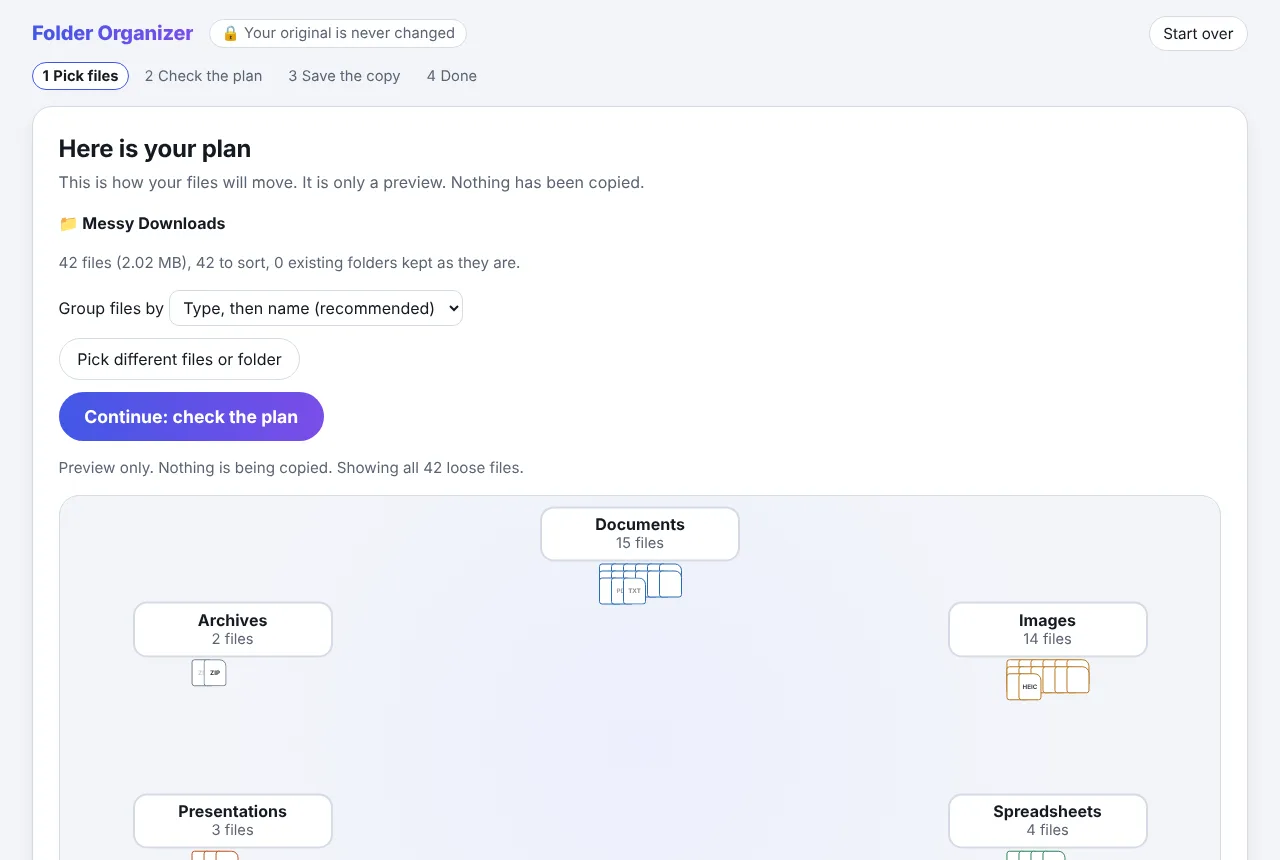
Check the plan
See which folder each file will land in. Group by type then name, or name then type. Change anything you like.
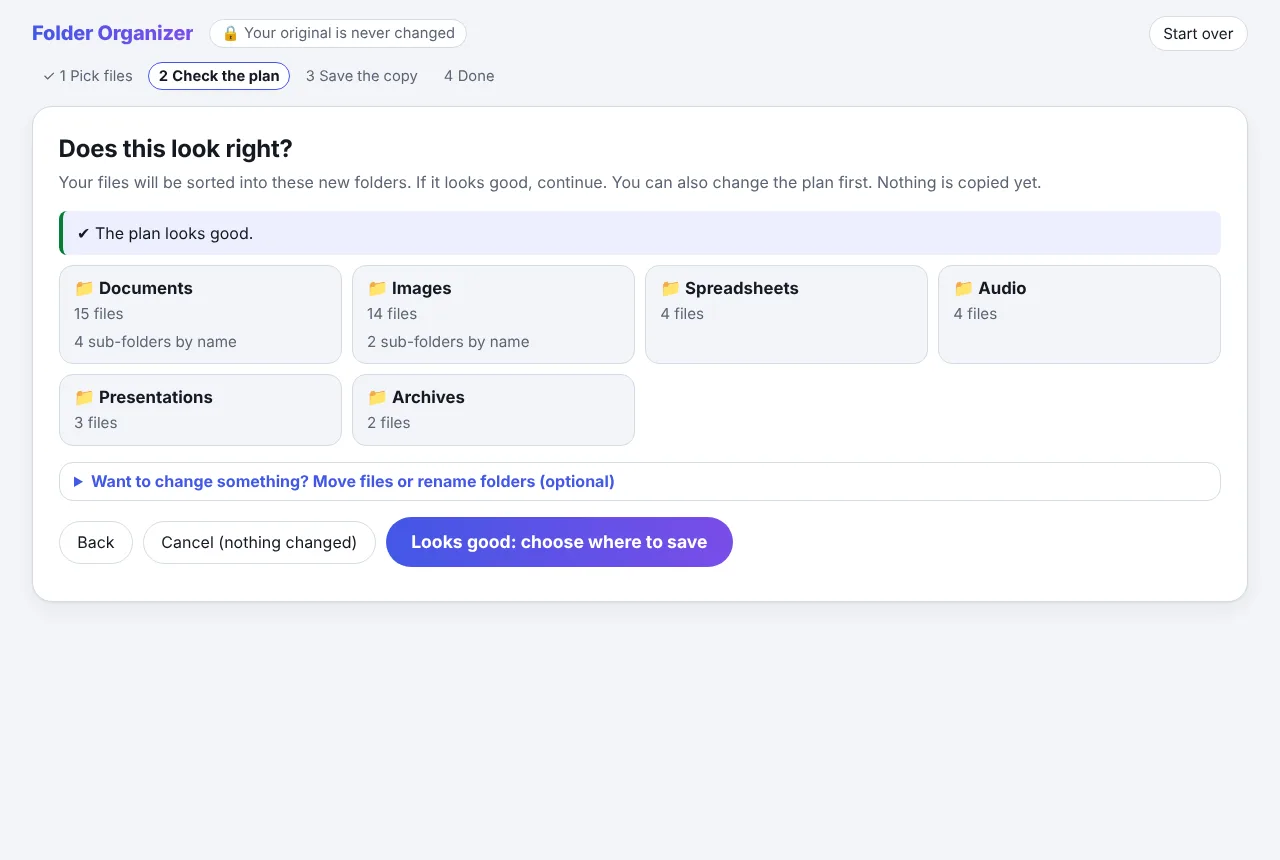
Save the copy
Choose where the new folder goes, read the summary, and confirm. Every file is copied, then checked.
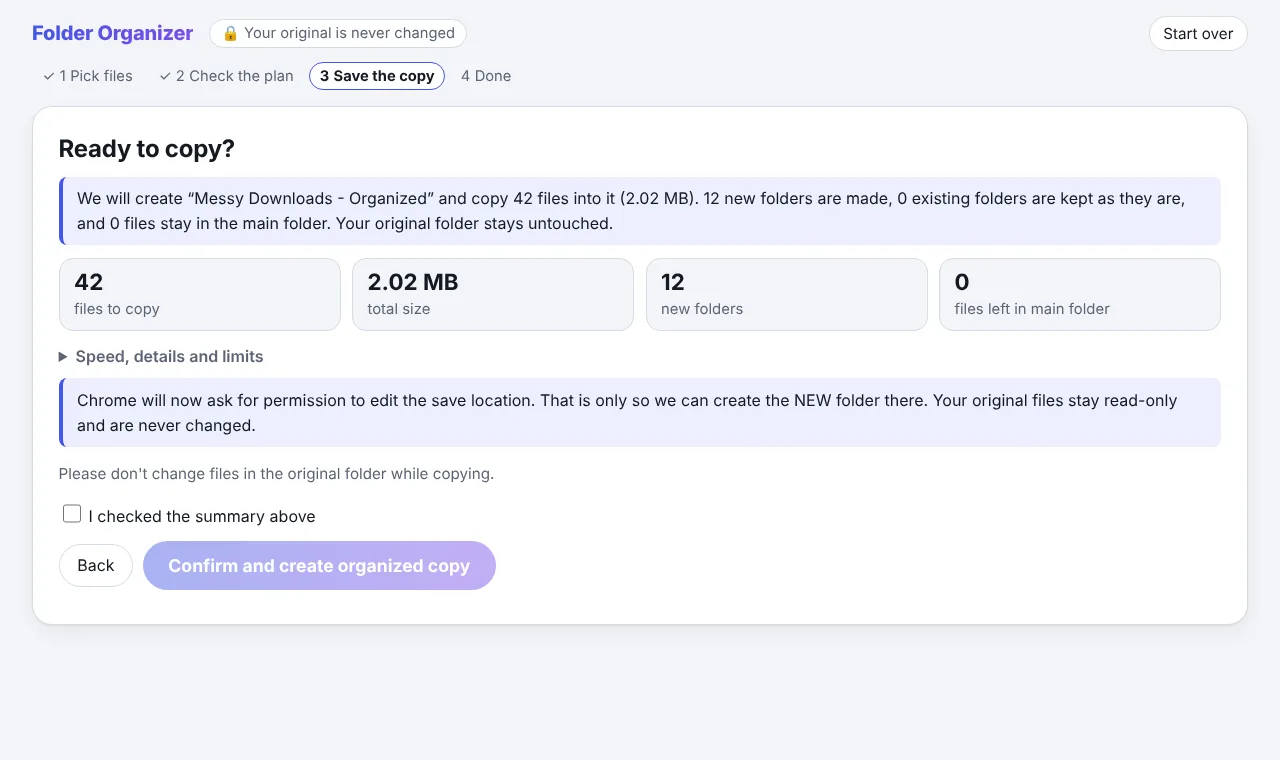
Done
A clear result tells you if every file was copied and checked. Anything that needs attention is listed by its original name.
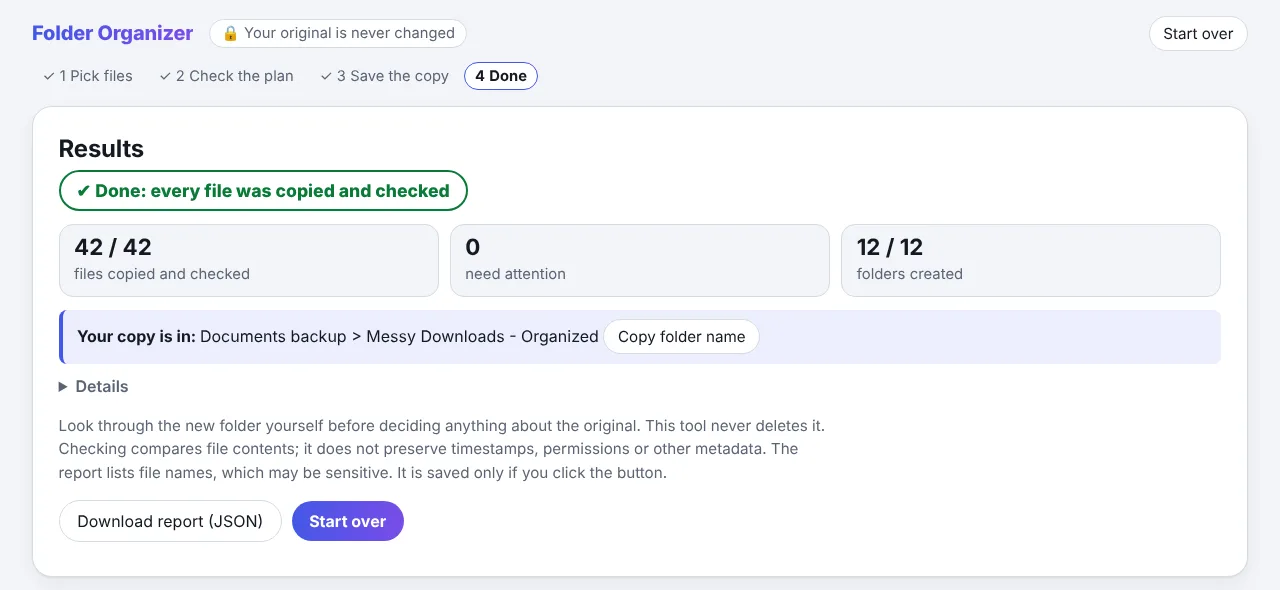
Built to be trusted
Careful by design, because it's your data.
Read-only on your originals
Your files are opened for reading only. There is no delete, move or rename anywhere in the tool.
Never overwrites
It writes only into a brand-new folder. If the name already exists, it picks another one instead of merging.
Every copy is verified
Each file is read back and compared with the original, byte for byte. It says "Done" only when all of them match.
Stays on your computer
The tool has no network access. Your files and file names are never uploaded.
A sample result
From one long list to folders that make sense.
The tool recognizes common naming patterns such as invoices, reports, screenshots and camera photos, and uses file type as the backup. Example only.
Type, then namedefault
- Documents (13)
- Invoice (4)
- Report (4)
- Images (12)
- Screenshots (5)
- Camera photos (4)
- Audio (5)
Name, then typeoptional
- Invoice (4)
- Report (4)
- Screenshots (5)
- Camera photos (4)
- Audio (5)
Questions
Before you download
Does it upload my files?
No. The tool is one file that runs inside your browser with network access switched off. Your files and file names never leave your computer.
Could it delete or change my originals?
It opens them for reading only, and it contains no delete, move or rename action. It writes only into a new folder it creates for the copy.
Which browser and computer do I need?
A desktop or laptop computer with Google Chrome. It uses a Chrome feature for working with folders, so it does not work on phones or tablets.
Can I try it without my own files?
Yes. Open the tool and click "Try it with demo files". It runs the whole process on made-up files and writes nothing.
Chrome won't let me choose my Downloads folder. What do I do?
Chrome blocks a few system folders such as Downloads, Documents and Desktop. Click "Choose files", press Ctrl+A (Cmd+A on Mac) to select everything inside, or drag the files onto the page.
What if a file fails to copy?
The result screen lists it with the original name and the reason, and says "Incomplete" instead of "Done". Common causes are very long file names or paths on Windows.
What does it not do?
It does not keep file dates or permissions in the copy, it cannot see inside files, and it sorts by file type and file name only. The tool lists its other limits before you start.
Why do you ask for my email?
The tool is free. We ask for an email to unlock the download and, only if you tick the box, to send occasional tips. You can unsubscribe at any time.
Sort the mess. Keep the originals.
Ready. Your download is unlocked.
Download Folder Organizer- Save the file anywhere, for example your Desktop.
- Open it in Google Chrome (right-click the file, Open with, Chrome).
- Click Choose files, or try it first with the demo files.
Thanks. The tool runs in Google Chrome on a computer. Send yourself the link and open it there.
Free. Try it on a small folder first to see how it works.
Messy files are one thing. Behind on your books?
We catch up, clean up and keep up the books for trades and home-service businesses. Book a free 30-minute call.